
A WhatsApp CRM helps a business connect customer conversations with contact records, sales opportunities and the next action. For a small team, its value is practical: when someone asks for a quote or an appointment, the request should have an owner and a follow-up date instead of depending on someone remembering the chat.
This guide is for Indian small businesses that handle enquiries on WhatsApp and want a more organised sales process. Start with the work your team struggles to finish, then evaluate the software against that work. A longer feature list does not automatically make a better fit.
When does a small business need a WhatsApp CRM?
Imagine a repair business where the owner answers enquiries in the morning and another team member follows up later. A customer asks about a repair, receives an estimate and requests a call on Friday. Without a shared record, the second person may repeat questions or miss the agreed callback. This is an illustrative workflow, not a customer case study.
- Enquiries are answered, but nobody records the next step.
- Two people reply to the same customer without knowing what the other promised.
- Quotes are sent, but interested customers are difficult to find a few days later.
- The owner needs to open individual chats to understand which leads need attention.
If you handle a small number of conversations reliably on your own, begin by improving your process. A CRM becomes more useful when you need repeatable handovers, clearer ownership or a structured view of open opportunities.
Messaging and lead management solve different problems
A conversation tells you what someone said. A lead record tells you what your business should do about it. Keep both useful: record the requirement, current stage, responsible person and next action, while retaining the message context needed for a thoughtful reply.
For example, “interested in annual maintenance; send scope after site visit” is a more actionable note than “follow up”. The software should make that information easy to find, especially when the person who first spoke to the customer is unavailable.
Six questions to ask before choosing a WhatsApp CRM
- Can I create and find a customer record quickly? Test phone-number search, names, tags and notes with sample data.
- Can I track a real opportunity? Create a lead with a clear title, owner and status rather than relying only on a chat label.
- Can I give the next action a date and an assignee? Check how due and overdue follow-ups are shown.
- Can another team member understand the history? Read the notes and recent conversation without an explanation from the original owner.
- Does it support the work after the enquiry? Check appointments, service reminders or billing only if those are part of your workflow.
- Can I understand the complete cost? Review the subscription, user limits, feature access and messaging credits before committing.
Use a small set of representative examples when comparing products. A salon enquiry, a quotation request and a returning service customer may require different workflows. Test the examples that actually occur in your business rather than selecting features you hope to use someday.
A simple lead-management setup in Waflo
Waflo’s CRM brings leads, contacts and access to the WhatsApp Inbox into one workspace. In CRM → Leads, you can create a lead with contact details and add an owner, value, status, expected close date and notes where relevant. A lead’s Follow-ups section lets you schedule an action, assignee, date and time.
- Create a contact with an accurate phone number and a useful name. Add only information your team needs and is allowed to store.
- Create a lead that describes the request, such as “Maintenance enquiry — two units”.
- Assign the next action to a specific person and set a realistic due time.
- Record what happened in the timeline after each meaningful interaction.
- Review due, overdue and unscheduled follow-ups as part of the daily routine.
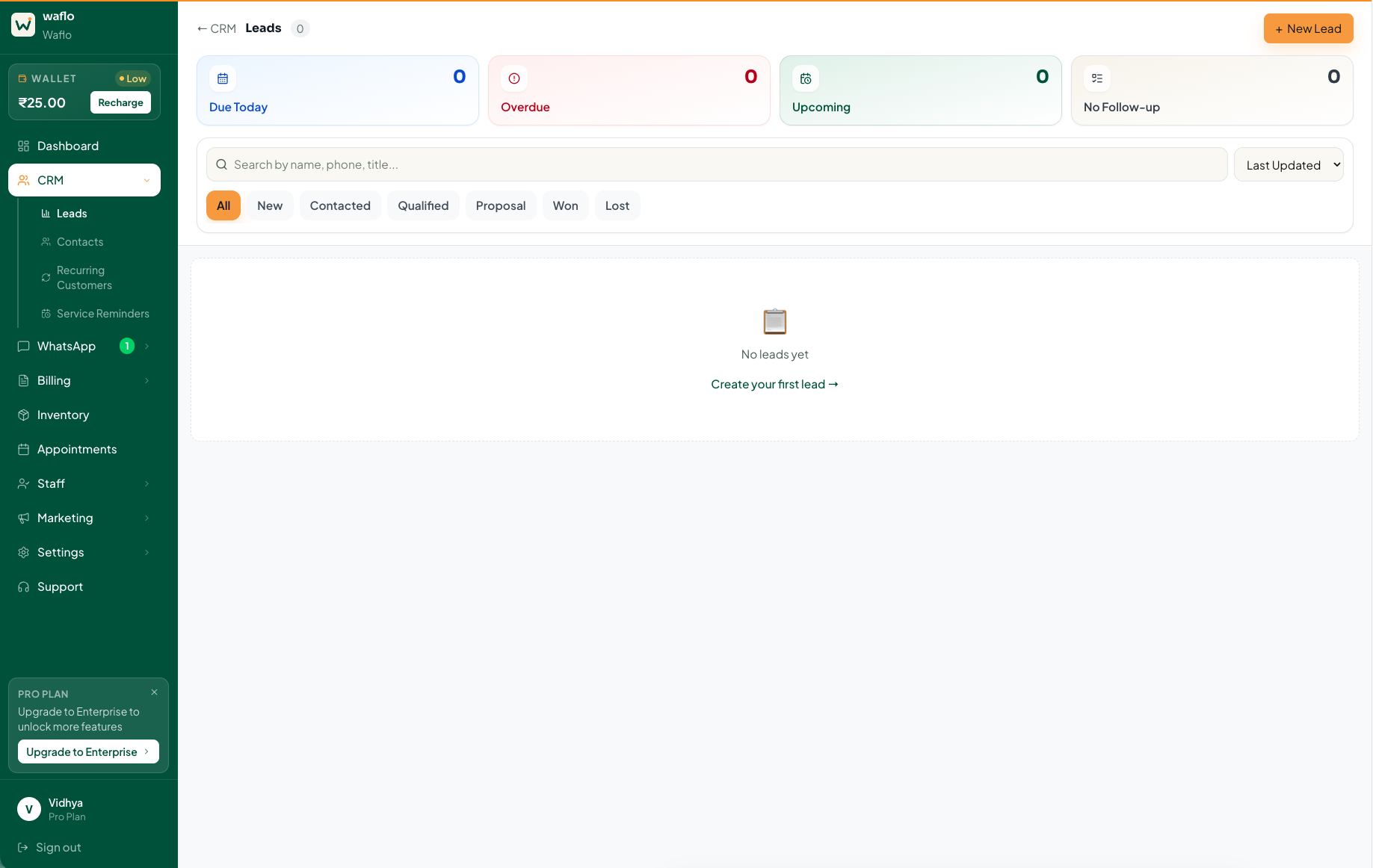
See how to create leads and schedule follow-ups in Waflo
Check the messaging setup before a trial
Connect the business’s WhatsApp account through the setup shown in Waflo. Then review a sample conversation and message template before relying on automated communication. Feature availability depends on the active plan and connection status; use the current Billing & Plans screen to check what your workspace includes.
Obtain messaging opt-in and honour opt-outs. On the WhatsApp Business Platform, messages outside the 24-hour customer-service window require approved templates.
Read WhatsApp’s Business Messaging Policy
Review Waflo’s WhatsApp connection guide
How to evaluate your first week
Choose a small, representative set of enquiries. At the start, note how many open leads have a named owner and a next action. After a week, check whether the team can find those details without asking the owner to reconstruct each conversation.
- Process quality: how many open leads have a current next action?
- Reliability: how many agreed callbacks were completed on time?
- Usability: can a colleague understand an enquiry from its record?
- Fit: which steps still need a separate spreadsheet, and is that acceptable?
These checks are more useful early on than claiming a revenue increase from a few days of activity. Keep a record of genuine sales outcomes over time, and separate the effect of the tool from changes in demand or staffing.
Frequently asked questions
Is a WhatsApp CRM only useful for a large sales team?
No. A small team can benefit when handovers and follow-ups are becoming difficult to manage. The deciding factor is the complexity of the work, not the number of employees alone.
Does buying a CRM mean every message should be automated?
No. Automate repeatable steps where useful, and keep a person responsible for questions, exceptions and decisions. A clear customer record helps both manual and automated work.
What should I set up first in Waflo?
Start with contacts, a few realistic leads and a daily follow-up routine. Add appointments, recurring reminders or campaigns once that foundation works for your team.
Explore Waflo for service businesses
Written by Waflo Team
Explore more articles